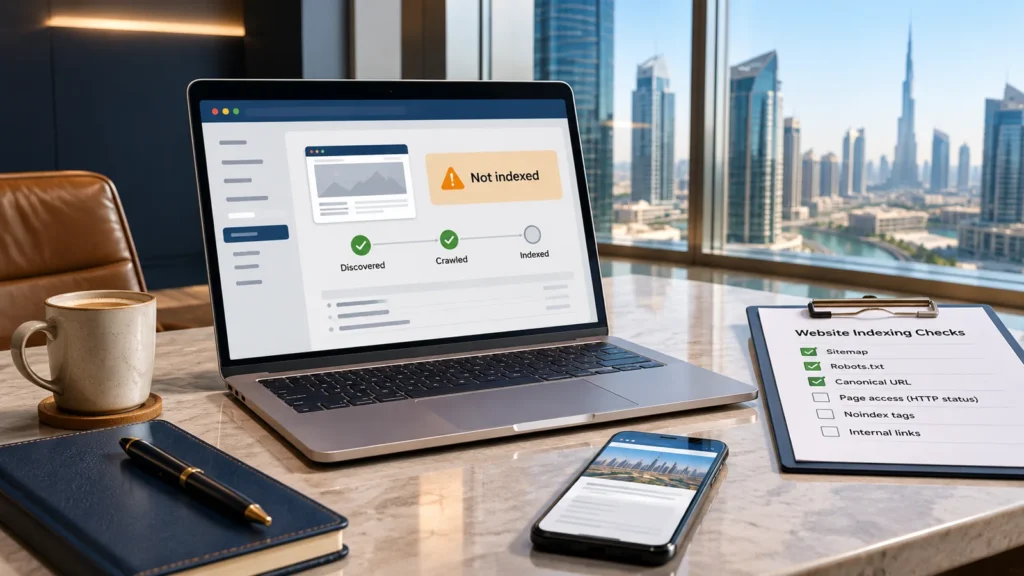
Website not showing on Google in Dubai? Before changing your website, buying another SEO plugin or requesting indexing again, find out exactly what is missing. A page that Google has never discovered needs a different solution from one Google has crawled but not indexed. And an indexed page that does not rank for “accounting services Dubai” presents a different challenge again.
Consider a fictional fit-out company in Business Bay. Its new website opens perfectly on a phone, customers can submit quotations and its developer says that search engine optimisation is enabled. Yet the owner cannot find the main services page when searching Google. The problem might be a leftover noindex setting, a canonical pointing elsewhere, weak internal links or simply that the page is indexed but not competitive for that query. Only evidence can tell us which.
Google describes Search as a process involving discovery, crawling, indexing and serving results. Passing one stage does not guarantee the next. Its How Search Works documentation explains the distinction, while URL Inspection lets site owners examine an individual address.
This 2026 guide walks Dubai business owners through twelve practical checks, from Google Search Console and WordPress settings to canonical URLs, crawling issues and actual search visibility. It uses fictional UAE examples, verifiable Google guidance and no invented GWS client results. No agency can guarantee that Google will index or rank a page just because the technical checks are complete.
Website not showing on Google in Dubai? Start with three diagnoses
Problem A — Not discovered: Google has not found the specific URL, or you cannot establish that it knows about it. Investigate normal internal links, public access and sitemap discovery.
Problem B — Discovered or crawled, but not indexed: Google knows the URL but has not included it in its index. The reason may involve crawling, duplicate URLs, canonical selection, content value or other indexing signals.
Problem C — Indexed, but not visible for the query you care about: The page is eligible to appear, but search relevance, competition, localisation or the wording of the query may be the main issue.
Google Maps introduces a separate fourth situation: a company can have an indexable website but no eligible or visible Google Business Profile. Do not mistake a missing Maps listing for evidence that the website itself is not indexed. For that topic, see our Dubai free-zone Google Business Profile guide.
Use Google Search Console to check exact pages; a site:example.com search can be a rough discovery clue, but it is not a complete inventory or a reliable page-level indexing verdict.
Check 1: Find out whether the URL is indexed or simply not ranking
If your website is not showing on Google in Dubai, start with the precise page, not the general domain. Open the page in a private browser window and copy the final URL after any redirects. In Search Console, inspect that exact URL. Look for the result about whether the URL is on Google and note the Google-selected canonical. If the tool confirms the page is indexed, the next step is not automatically to request indexing again.
Instead, open Search Console’s Performance report, filter by that page and look at the queries for which it receives impressions. A Dubai cleaning company may rank for its own brand yet not appear prominently for the broader phrase “office cleaning Dubai”. That is usually a query relevance or competition question, rather than proof of an indexing fault.
Do not use a single search made from one phone as the complete verdict. Results vary by location, language and user context. Record the exact URL, indexed status, query and date so you can investigate consistently rather than repeatedly searching a vague phrase.
Check 2: Verify the right Google Search Console property
For a website not showing on Google in Dubai, first confirm you are inspecting the correct search property. Search Console can use a Domain property, covering recognised protocols and subdomains, or a URL-prefix property, restricted to the submitted prefix. If a developer checked only an old http:// property while the live site uses https://www., the available reports may not reflect the URL you are investigating.
Confirm you are using a verified property with permission to view it. Inspect a known public page and the homepage to make sure you are working with the expected domain. If you have recently migrated from another domain or CMS, verify the current destination rather than relying on an old project screenshot.
In the Performance report, distinguish Web search from other search types and compare sensible periods, allowing for new-site delays. If there are no impressions, that is a clue to investigate indexing and relevance; it does not independently prove that every page is blocked. Use the Page indexing report and exact URL Inspection results alongside the performance data.
Check 3: Read URL Inspection before making a change
In Search Console, paste the full page address into the inspection bar. Note the indexing verdict, last crawl when available, referring page or sitemap signals, crawled-as information and Google’s selected canonical. Then run Test live URL to check whether the current version can be accessed and rendered.
The indexed view and the live test answer different questions. The indexed view reflects what Google has recorded; the live test checks current accessibility and potential indexability. A successful live test does not guarantee that the URL will be indexed or ranked. Google’s URL Inspection help makes this limitation clear.
Save a short diagnosis: “Indexed but not ranking”, “Alternate canonical”, “Blocked by robots.txt”, “Excluded by noindex” or “Discovered, not crawled”, as appropriate. Then fix the specific cause. Repeatedly selecting “Request indexing” without understanding the reported condition usually adds little value.
Check 4: Test the real HTTP response and server availability
A website not showing on Google in Dubai may have an access or server issue. Search engines need to retrieve public pages reliably. Important pages normally return an appropriate 200 success response; permanently moved pages should redirect to a relevant destination. A 404 means not found, while persistent 5xx responses indicate server-side problems that can prevent crawling. A page that says “Not found” while returning 200 may be treated as a soft 404.
Check the response for the final canonical URL without being logged into WordPress. Look for redirect loops, maintenance screens, accidental security challenges and intermittent server errors. If Googlebot is repeatedly denied by a firewall or hosting rule, investigate the configuration with the hosting provider rather than automatically disabling all security protections.
Google’s crawl troubleshooting guide explains why availability issues, redirect chains and empty rendered pages matter. A fictional Dubai architecture practice might have a service page returning 503 during every automated backup. Fixing availability is more urgent than rewriting the meta description.
Check 5: Remove unintended noindex instructions and check robots.txt
When a website is not showing on Google in Dubai, a public service page may still be accessible to people while explicitly requesting exclusion from Google. Check the rendered HTML for <meta name="robots" content="noindex">, and examine response headers for an X-Robots-Tag containing noindex. If the page should appear in search, remove an accidental exclusion at its source, whether that is a WordPress setting, plugin, template or server rule.
Next, inspect /robots.txt and look for a relevant Disallow rule preventing Googlebot from reaching the page or necessary resources. Robots.txt is not a reliable method for removing an already-known URL from Google. It controls crawling; a page-level noindex rule must be seen by a crawler to be applied. Blocking a URL in robots.txt can stop Google from seeing that noindex instruction.
Google explains the relationship in its robots meta tag guidance. Avoid changing broad crawl rules simply because one URL is absent: a fix that accidentally blocks the whole services folder would make the situation worse.
Check 6: Check WordPress staging, password protection and SEO plugin settings
When a WordPress website is not showing on Google in Dubai, check whether development restrictions are still active after launch. In Settings → Reading, review the “Discourage search engines from indexing this site” option and make sure the production site is configured as intended. Then check Rank Math or the active SEO plugin’s global and individual page indexing settings, including templates for posts, pages and custom content types.
Confirm that the live website is not protected by staging authentication, a maintenance-mode plugin or a temporary coming-soon screen. A password-protected development site is appropriate while building; a published public service page should not depend on an administrator session to display its main content.
For example, a fictional Business Bay consultant could move a site from a staging subdomain to the main domain while leaving a template-level noindex rule enabled. The pages look normal to visitors, but Google sees a directive not to include them. Our website redesign SEO checklist covers the wider risks of launches and URL migrations. Test the final live HTML rather than trusting an editor toggle alone.
Check 7: Correct canonical URLs, duplicates and unsuitable redirects
Google can discover several URLs that contain the same or nearly the same content: www versus non-www, HTTP versus HTTPS, a URL with tracking parameters, or a category URL that repeats a service page. Its systems choose a canonical URL, which may differ from the one suggested in your page markup.
Check the page’s rel="canonical", any permanent redirects, and the Google-selected canonical shown in URL Inspection. If an important Dubai service URL points canonically to the homepage or a staging domain by mistake, correct the signal and the underlying duplicate or redirect problem. Do not randomly remove every canonical tag.
Google’s canonicalisation guidance treats redirects, canonical annotations and sitemap URLs as related signals. For genuine moves, redirect old addresses to the closest relevant replacement, not every page to the homepage. If Google chooses a valid alternate canonical, the excluded duplicate may not need to be indexed separately.
Check 8: Improve XML sitemap accuracy and internal discovery paths
For a website not showing on Google in Dubai, an XML sitemap can help Google learn about important URLs, but it cannot force them into the index. Check whether your site is using a WordPress core sitemap or one generated by Rank Math or another SEO plugin. Choose the correct, working sitemap index and verify that it lists canonical, public pages rather than deleted URLs, staging addresses or redirects.
Submit the sitemap in the appropriate Search Console property and check whether Google can fetch it. Include a genuine lastmod value where the sitemap provides it, but do not edit it every day without real changes. Google’s sitemap documentation says submission is a hint, not a promise of crawling or indexing.
Equally important: link to the page from places people can actually navigate. A useful SEO service page should be linked from your services overview, relevant guides and suitable navigation, using normal HTML links. A page available only through an internal search box may be harder to discover. This is also a reason to connect related GWS articles to the SEO and Content Marketing service.
Check 9: Investigate “Discovered – currently not indexed”
A website not showing on Google in Dubai may have URLs marked “Discovered – currently not indexed”. This Page indexing status generally means Google knows about a URL but has not yet crawled it for indexing. It is not proof that the page is automatically bad or that a plugin is broken. For a new website or article, discovery and crawling take time; Google does not promise same-day processing of ordinary business pages.
Check whether the URL is linked from relevant sections, included in the correct sitemap, publicly available and worth discovering. On larger sites, examine duplicate URL patterns, pagination and faceted navigation that can generate many low-value addresses. If hosting issues or rate-limiting appear in Crawl Stats, investigate server availability.
For a recently launched Dubai law-firm website, a service page may be discovered through the sitemap while Google’s crawler has not yet visited it. Resubmitting an unchanged sitemap every few hours will not solve that delay. Google’s crawl guidance recommends normal links, accurate sitemaps and reliable access rather than expecting all pages to be crawled immediately.
Check 10: Investigate “Crawled – currently not indexed”
For a website not showing on Google in Dubai, this status can mean that Google crawled a particular page but did not add it to the index at the time reflected in the report. Do not assume that another request for indexing will change Google’s assessment. First check whether the page has useful original content, an appropriate canonical, working internal links and a clear purpose that differs from other pages on the website.
A fictional marketing agency might publish fifteen near-identical pages targeting slightly different Dubai neighbourhoods, each with the same paragraphs and a different location name. Publishing more of those pages is unlikely to solve the underlying lack of distinct value. Review whether the customer genuinely needs separate pages or one stronger, well-structured service page.
Also inspect the rendered HTML. A browser-only script may fail to supply important content to Google’s renderer, leaving an almost empty page. A genuine indexing issue can involve accessibility or content quality, and not every crawled page will be indexed. Google states this explicitly in its crawling documentation. Improve the page for real visitors before requesting a fresh crawl.
Check 11: Test mobile rendering, actual content and security reports
Google primarily uses the mobile version of a page for indexing. Open important pages on a narrow screen and inspect what is actually rendered. If the desktop service details disappear on mobile, the menu is inaccessible or the page shows an empty template until a user clicks, the mobile experience may omit essential information.
Check the rendered HTML, JavaScript-dependent content, image accessibility and whether core CSS and scripts are available to Googlebot. Run PageSpeed Insights for representative pages and review Core Web Vitals where real-user data is available. A speed improvement is valuable, but it does not automatically resolve a noindex directive or incorrect canonical.
Also review Search Console’s Manual Actions and Security Issues sections, particularly if formerly visible pages disappear unexpectedly. Compromised content, deceptive pages or a manual action requires a different response from ordinary low rankings. For development and mobile design, see GWS’s Website Development Dubai service.
Check 12: Recheck indexing, then measure relevant organic enquiries
After correcting a confirmed issue, inspect the URL again and use Request indexing when appropriate. Google’s recrawl guidance explains that processing can take days or weeks and requesting a crawl does not guarantee inclusion in search results. Avoid repeatedly submitting the unchanged page just to make the dashboard appear active.
Keep a simple change log: URL, original problem, evidence, date of correction, new inspection result and later search performance. Where possible, compare branded and non-branded queries, impressions, clicks and the specific landing pages involved. One well-positioned article can support discovery, but business value also depends on whether visitors become genuine enquiries.
For a Dubai business running ads and SEO together, report form submissions, received messages, qualified leads and customers as separate stages. A WhatsApp click is not a confirmed conversation. The GWS WhatsApp lead-tracking guide explains that distinction. Indexing is a necessary step for organic discovery, not proof of revenue.
A practical diagnostic sequence for Dubai website owners
In the first review
- Write down the exact URL and the Google search query you expected it to appear for.
- Inspect the URL in the correct Search Console property.
- Record the reported indexing status and Google-selected canonical.
- Check whether the live page responds correctly without a login.
If Google cannot access or index the page
- Check redirects, HTTP response, robots.txt, noindex and WordPress settings.
- Verify the live canonical, sitemap entry and a relevant internal link.
- Check the rendered mobile page and server or security restrictions.
- Correct the confirmed defect before requesting recrawling.
If the URL is indexed but not ranking well
- Inspect the actual queries and search intent in the Performance report.
- Improve specific service information and useful original content.
- Review whether the page competes with another similar page.
- Measure relevant impressions, enquiries and business outcomes over time.
This is a decision-making checklist, not a guarantee that Google will crawl or rank a website within a particular number of days.
Frequently asked questions
Why is my new Dubai website not appearing on Google?
A new site may not have been discovered or crawled yet, or the affected pages might be blocked, redirected, marked noindex or considered duplicates. Verify the domain and inspect individual URLs in Search Console before assuming the problem is poor rankings.
How long does Google take to index a new website?
There is no fixed timeline. Google says crawling and indexing can take days or weeks and that submitting a URL does not guarantee indexing. Focus on accessible, useful pages with normal links and a working sitemap.
Does adding my site to Google Search Console automatically index it?
No. Search Console helps verify ownership, diagnose issues and submit sitemaps or requests. Google still decides what to crawl, index and show for each query.
What is the difference between “Discovered” and “Crawled – currently not indexed”?
“Discovered” generally means Google knows the URL but has not crawled it yet. “Crawled” means it was visited but not added to the index at that time. Each status calls for different checks, and neither guarantees that the page will be indexed next.
Can a WordPress SEO plugin fix a page that is not indexing?
An SEO plugin can help manage titles, sitemaps, canonical tags and indexing directives, but it cannot force Google to index content. Fix actual server, access, duplication or content issues first.
Why is my website indexed but not ranking for “SEO agency Dubai”?
Being indexed means a page can be eligible to appear, not that it deserves a high position for a competitive search. Check whether the page matches the query, provides credible and distinctive information, works well on mobile and has appropriate internal links. Rankings also depend on factors beyond any one website.
Solve the right problem before spending more on SEO
If your website is not showing on Google in Dubai, start by verifying the exact page and its indexing status. An inaccessible URL needs a technical fix; an excluded duplicate may need a clearer canonical; an indexed page that fails to attract relevant searches needs better search-intent matching and content, not another round of indexing requests.
Google Search Console provides the evidence to separate those situations. Make corrections based on what it reports, then monitor whether search visibility and genuinely qualified enquiries improve. No responsible agency should promise that a sitemap submission, new SEO plugin or one technical adjustment guarantees a first-page ranking.
Grow With Shuraim helps businesses with technical SEO and content marketing, website development in Dubai and lead generation. If you need someone to diagnose why valuable pages are missing from Google, contact GWS about a technical indexing and search-visibility audit.