Your Google Ads campaign can appear to target Dubai correctly and still attract enquiries you cannot serve. The fix starts with reading the actual location settings and the quality of the resulting leads.
Google Ads location targeting Dubai is more than selecting a city in campaign settings. Search campaigns can reach people who are present in, regularly in, or interested in your chosen places, depending on the inclusion setting. That difference matters for businesses whose service teams, delivery schedules or sales teams cover only certain areas. Yet there is no universal rule that a narrower location selection always creates better results.
These twelve checks cover location options, radius targeting, geographic reports, search intent and lead quality. Examples are illustrative, not performance benchmarks.
Critical point: Google’s location targeting is based on a mix of signals and is a best-effort system, not an enforceable geographic fence. A person may search about a place they are not currently in. Do not infer their physical position, nationality or buying intent from one report row. Use the settings and sales outcomes together.
1. Google Ads location targeting Dubai: Presence versus interest
Start with the campaign’s advanced location options. For Search campaigns, Google’s default inclusion setting is generally Presence or interest: people in, regularly in, or who have shown interest in your selected areas. Someone researching a Dubai service from elsewhere may therefore be eligible. That can be genuinely useful for tourism, education, relocation or property investment; it can be wasteful when you deliver a service only to customers physically present in Dubai.
Google’s alternative Presence option targets people in or regularly in the locations. If you run an urgent air-conditioning repair business serving Dubai addresses today, it may be the better starting point. If you help overseas founders open Dubai companies, Presence or interest may be essential to your funnel. No setting is universally best; map the choice to where a suitable customer is when they search, not just where your office sits.
Open the campaign’s Settings, review Locations and Location options, then record the setting before changing it. Google’s own guidance says location detection uses multiple signals and is a best-effort system, not a guaranteed boundary. Compare qualified results over a meaningful period after any adjustment. Audit decision: change this setting only after documenting your business model and which kind of remote enquiry you can genuinely serve.
2. Verify the exact Dubai areas in campaign targeting
Advertisers often describe a campaign as “targeting Dubai” without checking what is actually selected. The account may target the whole UAE, multiple emirates, a city target, or a collection of locations created during earlier tests. Look at the campaign’s included locations, not just its name. Keep a screenshot or export showing the exact targets, since later team members may otherwise assume the settings reflect the intended plan.
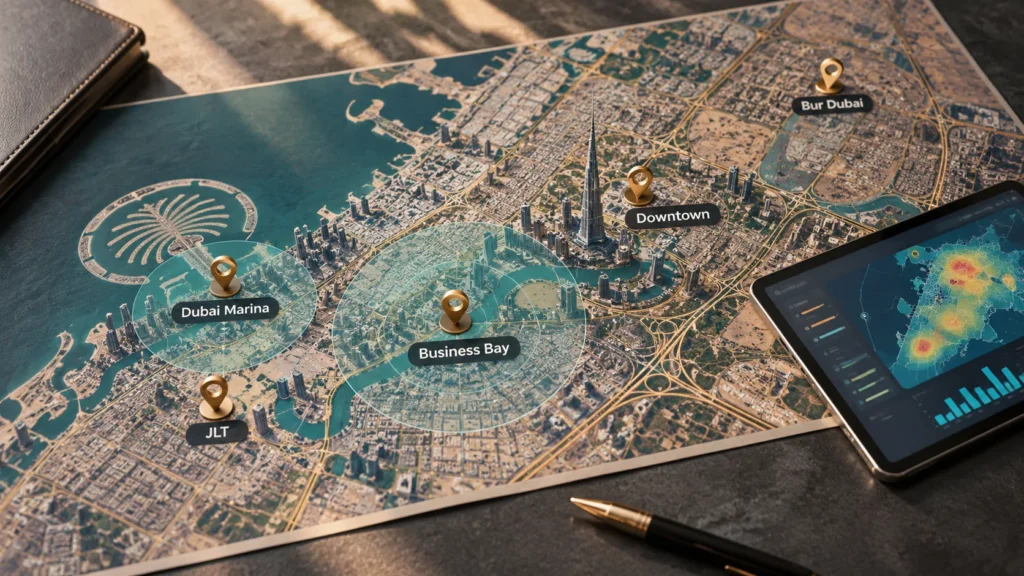
For a local service, write down the eligible customer areas before opening Google Ads: Dubai Marina, Business Bay, JLT, Downtown or other areas are useful examples, but only include them when you can service them profitably. Google Ads may not offer every micro-neighbourhood as a selectable location; availability and minimum privacy thresholds matter. Do not create a false sense of precision by treating a Google Ads location target as a building boundary.
Compare targeting against your actual fulfilment, travel radius, appointment capacity and customer contracts. A supplier who serves all Dubai can target differently from an installation team covering only a few zones. Audit decision: remove accidentally broad inclusions, but do not exclude an entire emirate simply because one poor lead came from there. Review volumes and genuine lead outcomes first.
3. Test radius targeting against real delivery coverage
Radius targeting can be useful when distance from a showroom, clinic or service hub affects whether the enquiry is commercially viable. Google’s radius tool lets you select a distance around a location. Its help documentation notes privacy thresholds and says radii smaller than one kilometre are not permitted. Very small target areas may also deliver intermittently, so an aggressive approach can reduce both waste and legitimate demand.
A five-kilometre radius on a map is not a promise of a five-kilometre drive. In Dubai, road access, bridges, traffic, waterways and appointment routes all influence service time. A business promising rapid installation should test real routes and working hours instead of using neat circular coverage as a substitute for operational planning. Some companies need several hub-specific campaigns; others benefit from a broader city setting and a clear service-zone qualification question.
Audit decision: start with the area you reliably serve, then evaluate reported outcomes and confirmed addresses. If the radius excludes profitable districts or reaches areas you cannot serve, adjust it. Avoid relying on radius selection alone as an absolute exclusion tool. Document the radius, centre point, unit and rationale so your team can reproduce the configuration.
4. Audit excluded locations without blocking buyers
Geographic exclusions can stop a campaign serving in certain places, but they are not a substitute for defining sensible positive targeting. Check whether old exclusions remain from previous agency work, seasonal promotions or temporary service interruptions. An exclusion that made sense for a trial might now prevent relevant customers from seeing your ads. Also check for conflicts: excluding an area that you simultaneously target can eliminate traffic from that area.
For a Dubai-only service, exclusions outside its coverage may be appropriate when available and meaningful. Yet applying a massive list of country or neighbourhood exclusions just because some enquiries look unfamiliar can create an administrative headache and accidentally restrict demand. Google documents limitations and behaviour of location exclusions; use its current instructions, especially when bulk-uploading areas.
Audit decision: separate cannot serve, low priority and unproven. Only the first category automatically suggests a stronger exclusion. Low-priority locations may need different budgets, a separate campaign or a revised offer. Unproven areas need more data. Make every exclusion reversible by recording its date, justification, scope and expected effect on lead volume.
5. Read targeted and matched location reports correctly
There are two questions that location reporting can help answer: where did your campaign intentionally target, and what locations did Google associate with eligible interactions? Google’s location reporting includes Targeted locations and Matched locations views. Depending on the available report and campaign, matched-location data can reflect physical location or location of interest, so do not describe every matched place as a verified GPS position.
Review clicks, spend, conversions and conversion value where those metrics exist. Use comparable windows, especially when a B2B sale closes weeks after the initial enquiry. Very low-volume location rows can produce misleading percentages: one conversion from two clicks is not a stable 50% conversion expectation. Some finer-grained geographic reporting can be limited by privacy and location-type availability.
Suppose Business Bay shows expensive clicks while Marina appears efficient. Do not immediately exclude Business Bay. First compare the service mix, bid strategy, landing page and quality of recorded leads. A premium consultation with a longer sales cycle might legitimately cost more than a quick enquiry. Audit decision: save a location report and flag areas with enough evidence for investigation, not simply those with the highest cost per click.
6. Compare geographic evidence with search terms
Search terms reveal intent; geography reveals the areas Google associated with your advertising interactions. Together they help interpret why a campaign is spending. Someone in Dubai searching “accounting company Abu Dhabi” might be seeking a provider in Abu Dhabi, but the query alone does not establish where the user was physically located. Similarly, a person looking for “Dubai Marina villa maintenance” might be outside Marina while legitimately arranging work at a property there.
Review visibly irrelevant location terms alongside the GWS Google Ads search terms report checklist. Decide whether the issue is geographic coverage, keyword intent, advertisement copy or a service that the business does not provide. Avoid blocking valuable searches just because they name a different emirate. A cross-emirate B2B client may have offices in several areas, and the delivery address may differ from their current location.
Google does not show every individual search term, so treat visible queries as a partial sample. Use negative keywords only for confidently irrelevant intent and check match types before saving. Audit decision: document the actual cause. If a query is suitable but outside your service area, review geo settings and offer eligibility; if it is unrelated regardless of location, consider a negative keyword or tighter targeting.
7. Review language settings without making demographic assumptions
Dubai has customers who search in English, Arabic and numerous other languages. Language settings in Google Ads should reflect which ad experiences and landing pages you can support. They are not a reliable nationality filter, and the language someone uses does not establish whether they are a good customer. Avoid judging lead quality from accents, names or presumed national origin; focus on the person’s requirement, location of service, timing and budget fit.
Review your campaign’s language choices and real search data. A company that can genuinely communicate in Arabic may benefit from properly localised ads and a corresponding landing page. An English-only service team should be careful not to promise support it cannot deliver. Google may use language signals beyond the literal language of a search query, so expect imperfect categorisation rather than exact routing.
Audit decision: match ad language to the support you can deliver and judge qualified enquiries, not message volume or demographic assumptions.
8. Separate Dubai-only campaigns from UAE-wide campaigns
A company serving all seven emirates should not automatically use the same campaign structure as a business serving only Dubai. Different services, travel costs, competitors and customer expectations can justify separate campaigns. Splitting also makes budgets and location outcomes easier to interpret, but creating one campaign for every neighbourhood is usually excessive when spend and conversion data are sparse.
For instance, a commercial cleaning company might deliver throughout Dubai but accept selected projects in Sharjah. A single undifferentiated campaign may hide the differences in contract size and logistics. One Dubai campaign and one carefully controlled wider-UAE test may be more useful. Conversely, a firm selling digital services nationally might perform perfectly well with a unified UAE campaign if messaging, lead criteria and conversion quality are consistent.
Audit decision: split campaigns where coverage or budget genuinely differs, and allow time for fair comparisons. More segmentation does not guarantee cheaper leads. See GWS’s PPC advertising guide for Dubai.
9. Judge locations using qualified conversions and conversion lag
Location-level metrics can be deceptive when the conversion event is only a button click. A campaign might generate dozens of cheap WhatsApp opens from a location without producing a confirmed conversation. Another location may produce fewer enquiries but more qualified appointments. If you optimise purely for all recorded clicks or forms, location decisions can end up favouring low-value traffic.
Define a lead ladder: ad click, submitted enquiry, contactable prospect, suitable requirement, meeting or quotation, and customer. Determine what Google Ads can measure reliably and what requires CRM feedback. When technically and legally appropriate, feed qualified offline outcomes into your conversion process. Google’s Data Manager and enhanced conversions for leads may support eligible setups, but proper consent, data quality and diagnostics remain essential; they do not guarantee perfect attribution.
Allow for conversion lag. Audit decision: compare qualified opportunities, not just form counts. Review GWS’s offline conversion tracking guide before using CRM outcomes in bidding.
10. Align location-specific ads with mobile landing pages
Location targeting cannot rescue an advertisement that promises the wrong service or a landing page that does not explain coverage. If the ad mentions “Dubai Marina plumbing” but the page offers generic renovation services, users may leave without enquiring. If you run ads across Dubai but the page suggests you only serve one neighbourhood, suitable buyers elsewhere may assume you cannot help them.
Look at actual mobile landing-page behaviour. Can visitors see the offer, eligible locations, proof of service and next action without pinching or hunting? Is the phone number tappable? Is the WhatsApp link functional? Does a form have clear fields and a useful confirmation state? Are location promises realistic, such as appointment availability instead of a guaranteed delivery time you cannot consistently meet?
Localise where there is a genuine difference in service, not by mechanically duplicating near-identical pages for every postcode or district. Clarify coverage and eligibility naturally. Audit decision: test the mobile journey for five commercially relevant location queries before excluding them. If traffic is relevant but enquiries remain weak, use the GWS landing-page optimisation guide to investigate the page itself.
11. Reconcile WhatsApp enquiries and CRM lead quality by area
Many Dubai businesses depend on WhatsApp for fast conversations. A WhatsApp click is not the same as a message, and a message is not necessarily a suitable enquiry. To evaluate locations properly, agree with the sales team on what a qualified lead means: service address within coverage, actual project requirement, realistic timing, contact details and an appropriate budget or contract value, where relevant.
Use a CRM, spreadsheet or suitable lead workflow to record the service area the customer explicitly provides. That address can differ from the user’s current browsing location. A person in Bur Dubai may be arranging a project in JLT; a facilities manager abroad may be sourcing a Dubai contractor. Do not claim that the geographic advertising report proves the lead’s delivery address. Reconcile these dimensions rather than forcing them into one inaccurate label.
Check duplicate enquiries, abandoned chats and false-positive button-click events. Ensure personal data is handled with appropriate consent, access controls and retention practices. Audit decision: compare location segments by qualified leads, not only raw conversations. GWS has a detailed explanation of WhatsApp clicks versus real enquiries that supports this step.
12. Run a weekly location optimisation review and change log
Geo-targeting is not a one-off setup task. Create a short weekly review for campaigns spending enough to produce useful evidence, with a deeper monthly comparison for trends and delayed conversions. Keep the date range, changes, campaign scope and business context consistent. One busy day or a handful of clicks should not dictate an account-wide location exclusion.
Use a simple action log: campaign, location, observed issue, evidence, intended change, date, owner, expected outcome and review date. Group changes into four categories: fix an accidental configuration, adjust genuinely unserviceable areas, improve a relevant landing page, or repair weak conversion measurement. Where possible, make one meaningful change at a time so the result is interpretable.
Compare impressions, clicks, spend and qualified leads after sufficient data arrives. Watch for lost opportunity as well as lower costs: a narrow target may reduce irrelevant demand while also hiding you from people who would have bought. Audit decision: judge whether the location change improved qualified pipeline for the money spent. The objective is not a perfectly tidy map; it is reliable, commercially useful customer acquisition.
A practical Google Ads location targeting audit in Dubai
Consider a hypothetical maintenance company serving Dubai Marina, JLT and Business Bay. It discovers a UAE-wide target and unsuitable enquiries outside its delivery area. Rather than immediately excluding locations, it should first review its inclusion setting, targeted and matched location reports, real service addresses and search terms. Then it can adjust coverage and compare qualified leads after a suitable period, allowing for conversion delay. Fewer clicks are only an improvement when more of the remaining demand is commercially useful.
Frequently asked questions
What is the best Google Ads location setting for a Dubai-only service business?
For a business that can only serve customers physically in or regularly in Dubai, Presence may be a sensible starting point. If suitable prospects research Dubai services from elsewhere, Presence or interest may fit better. Test based on qualified lead outcomes; neither option guarantees exact location detection.
Why am I receiving Google Ads clicks from outside Dubai?
The campaign may use Presence or interest, include broader locations than intended, or reflect Google’s imperfect location signals. Check campaign settings, exclusions and geographic reports before concluding every such click is an error.
Can I target Dubai Marina, JLT and Business Bay separately?
You can use eligible location targets and radius targeting, subject to what Google Ads makes available and its privacy thresholds. Not every small neighbourhood is selectable. Keep the setup simple enough to collect meaningful data.
Is radius targeting accurate enough for delivery or emergency services?
It is a useful approximation, not a guarantee about street routes or travel time. Verify actual fulfilment routes, operating hours and service eligibility. Very small radii can reduce eligible volume and may be unavailable.
Should I exclude locations with a high cost per lead?
Not automatically. Check conversion tracking, lead quality, sales value, sample size and conversion lag. An expensive location can still produce profitable clients; a cheaper one may produce mostly unsuitable enquiries.
Can changing location targeting solve poor WhatsApp lead quality?
It can reduce some mismatched reach, but other causes include ad wording, search intent, landing-page promises and tracking that counts WhatsApp button taps as leads. Confirm actual conversations and qualified requirements before attributing the problem to geography.
Final takeaway: reduce mismatch, not valuable reach
Better Google Ads location targeting in Dubai begins with a clear service area and a truthful understanding of how Google interprets it. Use inclusion options, location reports, search intent, mobile experience and real lead qualification together. Do not make sweeping exclusions because of a few expensive clicks, and do not treat the tool’s geographic signals as proof of a buyer’s address. Record changes, measure qualified outcomes and keep testing what genuinely serves your customers.
Official Google documentation and editorial sources
- Google Ads Help: About targeting geographic locations
- Google Ads Help: About advanced location options
- Google Ads Help: About measuring geographic performance
- Google Ads Help: Target ads to geographic locations
- Google Ads Help: Exclude ads from geographic locations
- Google Ads Help: Prevent clicks outside geo-targeted locations
Google Ads interface labels, options and eligibility can change. Verify the current settings in your own campaign before making account-wide changes.