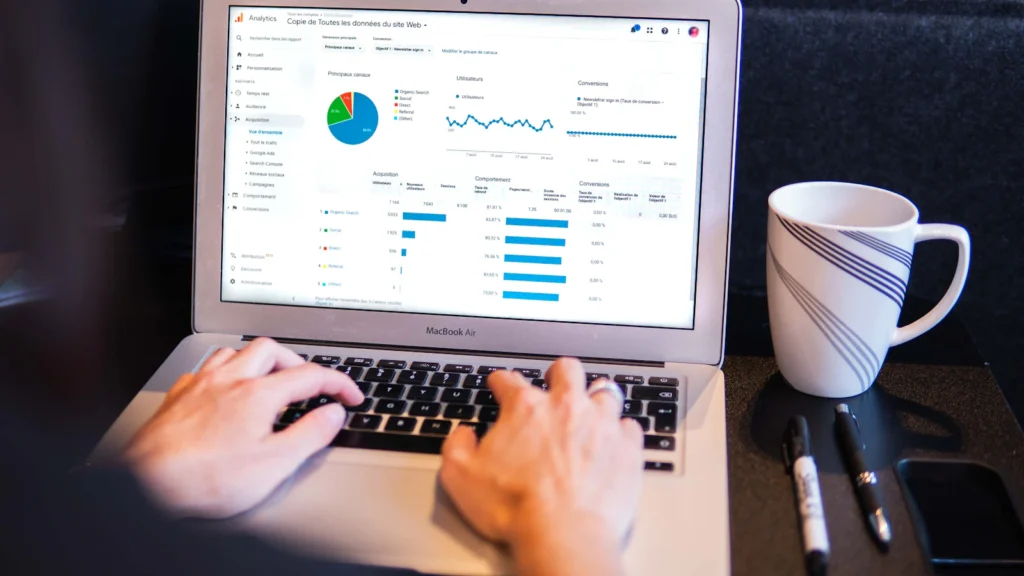
WhatsApp lead tracking for Google Ads sounds straightforward until your campaign reports 60 WhatsApp clicks and your sales team remembers receiving only 18 messages. Which number should you trust? And how many of those messages were genuine prospects?
For Dubai businesses that handle quotations through WhatsApp, the answer matters. A click shows interest in opening a chat. It does not prove that a message was sent, received or answered. If you optimise Google Ads for clicks alone, you may end up paying for activity that never becomes an enquiry.
This practical 2026 guide explains how to measure the journey from an advertising click to a verified WhatsApp conversation, a qualified lead and eventually a customer. It covers simple spreadsheets as well as CRM-based tracking, without assuming that every business has access to the WhatsApp Business Platform API.
Why WhatsApp lead tracking breaks between Google Ads and your inbox
A typical journey starts with a Google search, continues on your landing page and moves to WhatsApp when someone taps the contact button. Google Analytics can measure the website interaction, but it cannot automatically see the private conversation that follows inside WhatsApp.
This is the central WhatsApp lead tracking problem: the advertising dashboard might report an outbound click, while your sales team counts conversations. These are different events, so neither figure should be labelled “leads” without defining what it represents.
For example, someone might tap a WhatsApp button, open the app, read the pre-filled message and close it without sending. Another person could send a message from a different device, making the original advertising click harder to match. A third may ask for a service you do not offer. Your tracking process must account for all three possibilities.
Four stages every Dubai business should measure
Before changing tags or bidding, agree on four definitions with your team:
- WhatsApp click: Someone taps a website link or button that opens WhatsApp. This is a measurable website interaction.
- Received enquiry: Your business actually receives a new incoming message. A chat opening without a message is not a received enquiry.
- Qualified lead: A real enquiry that fits your location, service, timing and other relevant qualification criteria.
- Converted lead: A qualified opportunity that completes a defined valuable step, such as a paid order or signed project.
Google Ads has dedicated Qualified lead and Converted lead conversion goals. They allow an advertiser to distinguish later sales stages from shallow interactions, provided the offline events are properly recorded and matched.
Recommended principle: Treat website WhatsApp clicks as a diagnostic metric. Only promote a deeper event into a primary bidding goal once you have tested its accuracy and have sufficient reliable data.
1. Track WhatsApp button clicks using GA4 and Google Tag Manager
First, confirm that your landing page is sending events to Google Analytics 4 (GA4). GA4’s enhanced measurement can automatically record outbound link clicks with the event name click. You can identify WhatsApp links using parameters such as link_domain and link_url.
Google explains this in its official outbound-click tutorial. For a normal link to wa.me or api.whatsapp.com, verify whether the event appears before adding a second tag.
When you need a dedicated WhatsApp event
If you want a clearer report for WhatsApp interactions, you can configure a dedicated GA4 event called whatsapp_cta_click through Google Tag Manager (GTM). Use a click trigger restricted to your actual WhatsApp buttons, rather than all website clicks.
- Enable the appropriate GTM click variables and identify the WhatsApp links on the page.
- Create a specific click trigger for the correct element or destination URL.
- Send the event
whatsapp_cta_clickwith non-personal parameters such as button location and landing-page path. - Test in GTM Preview and GA4 Realtime or DebugView on both desktop and mobile.
- Check that one tap does not create duplicate conversion events.
A widget built with JavaScript may need an element-click trigger rather than a standard outbound-link trigger. Test the actual interface; do not assume every WhatsApp button behaves like a normal anchor link.
Both the automatic click event and your custom event may record the same interaction. They are useful for reporting, but do not count them as two separate leads.
2. Preserve Google Ads campaign information
For more reliable WhatsApp lead tracking, record where each website visit came from. Google Ads auto-tagging may add a Google Click ID (gclid) to the landing-page URL. Depending on the traffic and device, other identifiers such as wbraid or gbraid may be relevant. Campaign UTMs can help your internal reporting, although they are not substitutes for a valid Google conversion match.
Where technically appropriate and permitted, store the identifiers with the website interaction and a unique internal enquiry reference. Keep campaign identifiers out of public-facing messages if they are not needed. Do not assume every visit will have a usable click ID; privacy settings, consent choices, browser behaviour and direct visits can affect availability.
A reference such as GWS-1042 is easier for a sales representative to check than a long advertising parameter. Keep a private mapping between the reference and available campaign data in your authorised analytics or CRM system.
3. Match clicks to real WhatsApp conversations
For a small business, WhatsApp lead tracking can use a pre-filled message with a brief, unique reference, for example: “Hello, I would like a quotation. Ref: GWS-1042.” If the customer sends the message unchanged, your team can match the received conversation to the original website record.
But this method has an important limitation: Customers can delete or change the pre-filled text. Some may save your number and send a separate message later. A reference helps attribution but is not proof that every message can be matched.
There are two workable approaches:
- Manual verification: A team member checks genuinely received messages and records the matching reference and enquiry outcome in a protected spreadsheet.
- CRM or WhatsApp Business Platform integration: An authorised messaging integration can receive incoming-message events, create a lead record and connect it to available attribution data. This requires a suitable business setup, appropriate permissions and testing.
Do not claim that GA4, Google Ads or a basic WhatsApp click link automatically confirms that a message arrived. They cannot establish that on their own.
4. Start with a simple WhatsApp lead tracking spreadsheet
For a simple WhatsApp lead tracking system, start with a useful shared record before buying a complicated CRM. For each enquiry, capture only the fields that your team actually needs:
- Internal enquiry reference and date
- Advertising source or campaign, when known
- Received message: Yes, No or Unverified
- Requested service and Dubai delivery or service area
- Qualification status: New, Qualified, Unqualified or Follow-up
- Owner, next action and outcome
- Order or sale value only where legitimately needed
Use separate columns for button-click evidence and received-message evidence. An empty message-reference field should be marked “Unverified”, not quietly linked to the nearest click based on time alone.
Set a daily handover routine between marketing and sales. A campaign manager needs to know not only that 40 people tapped a button, but whether the messages reached the team, were relevant and resulted in quotations.
5. Decide which WhatsApp enquiries are qualified
A qualified enquiry is not simply a message with a phone number. The criteria depend on your business. A Dubai website developer may ask about the type of website, project requirements and timing. A B2B equipment supplier may need product specifications, order quantity and delivery location.
Define the criteria before reviewing performance. Where possible, use the same qualification stages across Google Ads, your spreadsheet and your CRM. Let sales staff mark the reason for disqualification, such as wrong service, unsupported area or duplicate contact.
Keep those reasons useful and proportionate. Avoid collecting sensitive personal details or applying unjustified assumptions about customer characteristics. The goal is a clear business-fit decision.
Our Dubai lead generation guide explains how to build a broader acquisition process, while GWS lead generation services cover the conversion journey beyond the initial click.
6. Send verified lead outcomes back to Google Ads
Once your WhatsApp lead tracking can reliably identify a qualified lead or completed sale, you can consider importing supported offline conversion events into Google Ads. This helps evaluate campaigns based on deeper customer outcomes rather than a superficial button tap.
In 2026, Google’s recommended direction for new offline conversion integrations is the Data Manager API. Its official documentation covers conversion destinations, event timestamps, matching identifiers, consent handling, validation and diagnostics. Existing integrations may have different supported paths, so confirm the method that applies to your account.
Google Ads provides conversion categories such as Qualified lead and Converted lead. A correctly recorded qualification event may be assigned to the first; a verified sale or another defined final milestone may be assigned to the second.
Before importing: Confirm that the event really happened, matches an identifiable customer journey, has the correct time and conversion action, and is not duplicated. If first-party customer data is involved, follow Google’s requirements for consent, normalisation and secure handling. Do not upload unsupported or guessed click IDs.
Review Google’s upload diagnostics and compare the imported counts with your CRM. An accepted import is not a reason to skip checking the actual conversion data or to assume that every event matched to an ad.
7. Calculate the real cost per WhatsApp lead
Consider a fictional Dubai business that spent AED 3,000 on Google Ads in one month. The following figures are illustrative, not typical benchmarks or results from a GWS client:
- 60 WhatsApp button clicks: AED 50 per click
- 18 genuinely received enquiries: approximately AED 167 per enquiry
- 9 qualified leads: approximately AED 333 per qualified lead
- 3 confirmed customers: AED 1,000 in advertising cost per customer
All figures use the same AED 3,000 spend, divided by the number of outcomes at that stage. In this example, reporting 60 “WhatsApp leads” would make the campaign look much more efficient than its confirmed sales pipeline suggests.
These numbers still do not prove profitability. You need the value of each sale, gross margin, sales costs and, where relevant, repeat purchases to judge whether the acquisition spend is sustainable.
Common WhatsApp lead tracking mistakes
Counting every click as a sent message
A browser event confirms interaction with the button. It does not confirm that WhatsApp opened correctly or that a message was delivered.
Assuming a matching timestamp proves attribution
Two unrelated people can contact your business within seconds. Match using a trustworthy reference or other supported evidence; otherwise preserve “Unknown source”.
Importing the same lead twice
Using both GA4 imports and native Google Ads tags for the same event can inflate results. Use one consistent event design, stable references and appropriate deduplication.
Sending low-quality events into automated bidding
A click-only goal can encourage the system to find more clickers rather than buyers. Test deeper signals before changing primary conversion goals, especially when data volume is limited.
Mixing all channels into one WhatsApp number with no source record
A customer may come from organic search, Google Ads, Instagram or a referral. Without careful source handling, the team may wrongly credit one channel for every incoming message.
Customer privacy and responsible tracking in the UAE
WhatsApp conversations and CRM records may contain personal information. Keep your collection proportionate, make your privacy notice understandable, limit access, establish appropriate retention periods and follow the applicable UAE laws and platform policies.
Review the UAE Government’s personal data protection guidance. Additional sectoral or free-zone obligations may apply. In particular, do not send names, phone numbers or message contents to GA4 as event parameters. A private CRM lead reference is preferable to sending identifiable chat details through marketing analytics.
A seven-day WhatsApp tracking audit you can follow
- Day 1 — Define: Agree what qualifies as a button click, received enquiry, qualified lead and customer.
- Day 2 — Inspect: Review each landing page, WhatsApp CTA and existing GA4 event. Check whether buttons point to the intended number.
- Day 3 — Test: Use GTM Preview and GA4 DebugView to ensure clicks are tracked once on desktop and mobile.
- Day 4 — Reference: Add and test a privacy-conscious enquiry reference or an authorised CRM matching method.
- Day 5 — Verify: Ask the receiving sales team to log actual incoming messages and record missing or altered references.
- Day 6 — Classify: Apply qualification criteria and compare campaign clicks with received messages and outcomes.
- Day 7 — Review: Calculate cost per qualified lead, document limitations and decide whether a reliable offline conversion integration is justified.
Use this as an audit framework, not a promise that every integration can be deployed in a week. A production CRM or API setup may need engineering, security, consent and additional testing.
Frequently asked questions
Can Google Ads track actual WhatsApp messages automatically?
Not from a standard website button click alone. To track received messages, you need a separate confirmation source such as a manual sales record or a supported WhatsApp Business Platform and CRM integration.
Is a WhatsApp button click a Google Ads conversion?
It can be configured as a conversion action, but it is still a click event. Label it accurately and do not present it as proof of a received or qualified enquiry.
Do I need Google Tag Manager to measure WhatsApp clicks?
Not always. GA4 enhanced measurement can collect ordinary outbound link clicks. GTM is useful when you need a dedicated, tested event or when the button is implemented using a widget that requires special handling.
Can I track WhatsApp leads using Google Sheets instead of a CRM?
Yes. A secure sheet is a reasonable starting point if the sales team consistently records genuine messages and outcomes. Automated offline attribution requires more reliable identifiers and suitable technical integration.
What should I do when a WhatsApp enquiry has no campaign reference?
Record the source as unknown or unverified. Avoid assigning it to an advertising click simply because the times appear close. Improve the matching process for future enquiries.
Can qualified WhatsApp leads be sent back to Google Ads?
Potentially, yes, if you have a real, appropriately recorded qualification event and a supported, privacy-compliant matching and import method. Google’s Data Manager API is the recommended route for new offline conversion integrations.
Better WhatsApp tracking starts with a better definition of a lead
The biggest improvement in WhatsApp lead tracking for Google Ads is not another dashboard. It is a reliable distinction between a tap, a received message, a genuine sales opportunity and a customer.
Once marketing and sales agree on those stages, you can optimise campaigns with more confidence, report actual enquiry quality and identify where the customer journey breaks down.
At Grow With Shuraim, our work connects advertising, websites, tracking and lead management. Explore our Google Ads and PPC services in Dubai, WhatsApp marketing services and PPC advertising guide. For a practical discussion of your tracking and enquiry process, contact GWS.